Download
the
Genie
Wish
Mod
DESCRIPTION: This mod gives
Geralt a magic bottle. When he
rubs the magic bottle, a genie appears. This genie will grant him one
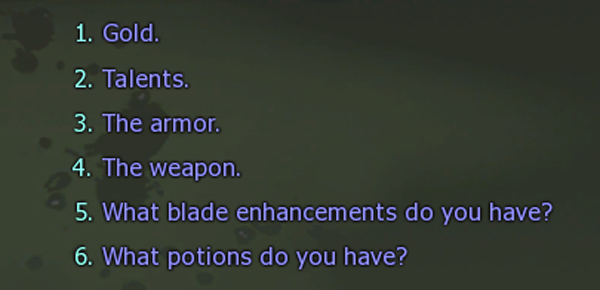
wish. Geralt can wish for any one of the following:
1. 10,000 orens
2. More Talents (choose one, depending on how much you want to cheat)
a. 5 bronze talents
b. 5 bronze and 5 silver talents
c. 3 Silver talents
d. 3 Gold talents
e. 10 bronze, 20 silver, and 10 gold talents
3. Weapons (choose one)
a. Gwalhir steel sword
b. Mahakaman rune sihill steel sword
c. Aerondight silver sword
d. Moonblade silver sword
4. Armor (choose one)
a. Excellent Leather Jacket
b. Raven's Neutral Armor
c. Raven's Armor of the Elves
d. Raven's Armor of the Order
5. Blade Enhancements (choose one)
a. 2 Perun rune stones
b. 5 Diamond dusts
6. Potions (choose one)
a. 5 Swallows
b. 5 Tawny Owls
c. 5 White Rafford's Decoctions
d. 5 Cats
e. 3 Full Moons
f. 3 Maribor Forests
g. 3 White Honeys
h. 3 Wives' Tears
i. 10 White Gulls
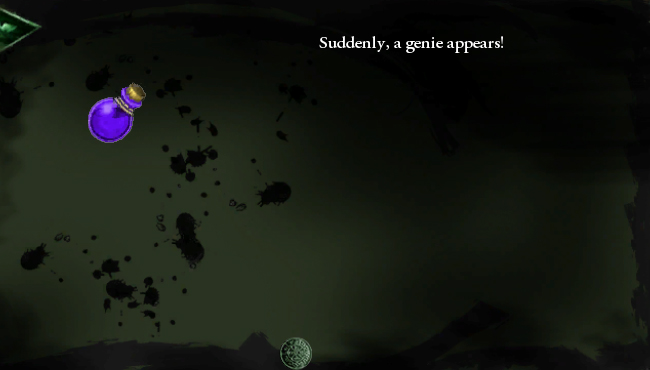
When you right-click on the bottle to use it, the tooltip will say
"right-click to read." This is because if I'd made the bottle a potion,
Geralt would have drunk it, and that's not what we want. By tricking
the game into thinking the bottle is a scroll, I'm able to give you a
pop-up that says, "Suddenly, a genie appears!" So yeah, I know it
claims that you "read" the bottle. WE know that Geralt actually rubs
the thing. :-)
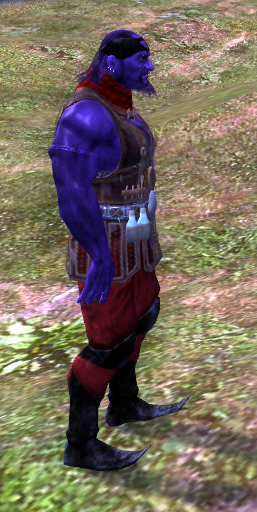
Of course you recognize who's being the genie here.:-) In
recoloring Azar Javed, I took a much closer look than ever before at
his model and textures. I swear, that man must be the vainest guy on
the planet! He's got armbands and piercings and decorative stitching
and decorative cutouts and necklaces and belts and buckles and
godknowswhatall! I had originally envisioned recoloring every piece of
his outfit, but after I got a look at how extremely complicated it was,
I decided to "only" spend a couple of hours recoloring him.
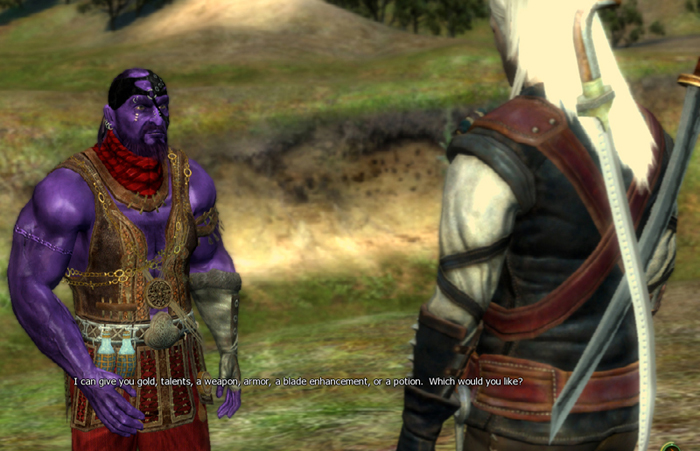
The genie will teleport out after he's given you whatever you asked
for. In theory, you get ONE wish. But in practice, if you want more,
you can just rub the bottle again. I thought about making the bottle
self-destruct after the first wish, but given that we ARE cheating
here, I figured letting you use it as often as you like was better.
Is the mod very cheaty? Yes, it's very cheaty. :-) When I
posted
my last mod, Kindo told me that he sometimes uses the Witcher Saved
Game Editor to hack his saved games when he feels like cheating, and I
thought that wasn't much fun. If we're going to cheat, let's do it in a
fun
way, via gameplay. That's why I made this mod.
Have fun!
VERSION:
New in
version 1.4:
Added Raven's Armor and small amounts of Silver and Gold talents, both
by request. Version 1.3 is still up at the Nexus,
so that
those of you who want to do the Raven's Armor quest without being
tempted by easy armor can still have this mod without Raven's Armor.
Please
note that it
takes the game 10 - 20 seconds to catch up with your new stats once you
get Raven's Armor. At first, your Vitality and Endurance will be what
they've always been, but wait half a minute, and you'll have the new,
armor-given maximums for those stats.
The new
lines have
been added to the Polish version, but -- as in version 1.2 -- in
English.
Version 1.3 added
Cat potions
by request. Also, all potions now have a secondary substance as well.
Swallows are nigredo; Cat, White Rafford's Decoction, Full Moon, and
Maribor Forest are rubedo, and Tawny Owl, White Honey, and Wives' Tears
are albedo.
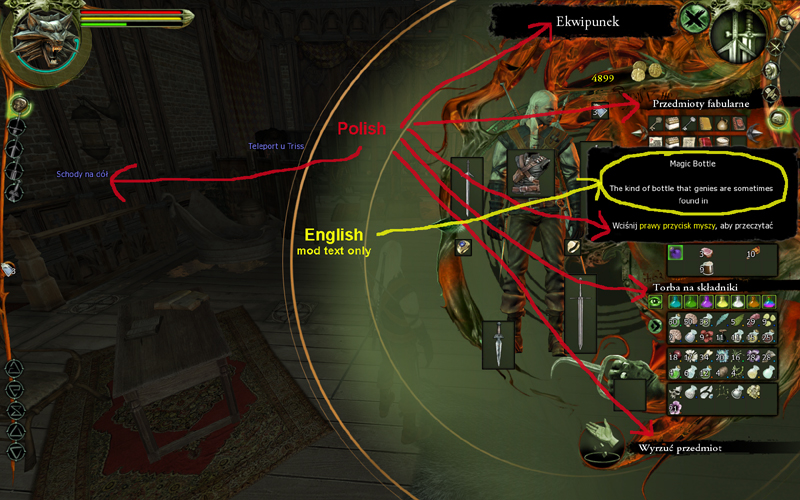
Version 1.2 of the mod added the English text of the mod to the Polish
dialogue, so you can play with your text language set to Polish and
still use this mod. If you play with your text language set
to
English, nothing will have changed for you; this change only affects
people playing in Polish.
INSTALLATION:
Download the file and unzip it. Put
the unzipped folder into your The Witcher Enhanced Edition\Data folder
or your The Witcher Enhanced Edition\Data\Override folder.
Notice
that the folder for the mod does NOT go into the Witcher folder where
your saved games are; it goes in the Witcher folder where the game data
is. This is The Witcher Enhanced Edition\Data.
Note: Like all my mods, this is for The Witcher; it's not for The
Witcher 2 or The Witcher 3.
If you have questions or comments, you
can send e-mail to medicalproblemsquiz at gmail dot com.
If you want to use J_Slash's wonderful "Stuff That Makes Geralt's Life
Easier" mod or some of my other item mods along with this one, check
out the Many
Items
Mod, which combines several item
mods into one.
CONFLICTS: Many
other mods conflict with the Genie Wish Mod! Any mod that
uses the custom_script.ncs
and def_arealoaded.ncs
scripts -- which includes FCR and many others -- will conflict with
this mod. Also, any mod that uses the appearance.2da file
will conflict; this includes the Scabbard Mod, FCR, Rise of the White
Wolf, and many others.
It's easy to work around
this, though! You
don't actually need the genie for very long; once he's given you stuff,
you'll keep it, as long as you save the game
afterwards. The only part that other mods conflict with is
getting the
bottle and calling up the genie -- the actual items or gold or talents
he gives you are the same as any other items or talents or gold; the
other mods don't conflict with them.
So, do this:
1. Temporarily take out your other mods -- just move all of
the files and folders they've installed to your desktop. (FCR
installs a folder, z_FCR;
just move the entire folder out of your Data folder to someplace easy
to find, like your desktop; you don't need to use an uninstaller.)
2. Install the
Genie Wish Mod.
3. Start up your
game, wait five seconds to be given the bottle.
4. Call the genie
and ask for whatever you want, as many times as you need to until you
have whatever you want.
5. SAVE THE GAME
and exit it.
6. Move the files and folders for the other mods from your
desktop back to your Data folder and restore from the save where the
genie gave you the stuff you wanted.